• January 2026 AI Messaging Compliance Heatmap: WhatsApp’s Jan 15 Deadline, Alexa+ Bookings, and Gemini In‑Car — What Founders Must Ship This Week

    January 2026 AI Messaging Compliance Heatmap: WhatsApp’s Jan 15 Deadline, Alexa+ Bookings, and Gemini In‑Car — What Founders Must Ship This Week

    Updated: January 4, 2026 • For founders, e‑commerce operators, and product leaders

    It’s a high‑leverage week. In the next 10 days, WhatsApp begins enforcing new rules that shut out general‑purpose AI chatbots, Alexa+ booking integrations begin rolling out for local and travel use cases, and Google’s in‑car shift toward Gemini accelerates. Below is a concise, execution‑first plan to keep sales and support alive, stay compliant, and pick up new revenue from voice and in‑car surfaces.

    What changed (and why it matters)

    • WhatsApp, Jan 15, 2026: General‑purpose AI chatbots are being removed from WhatsApp. Businesses can still use AI as an ancillary part of customer support workflows (order status, returns, appointment changes), not as a consumer AI assistant distribution channel. Treat WhatsApp as support‑first, not as a general assistant.
    • Regulators are watching: EU authorities have opened probes, and Italy’s competition regulator ordered a suspension of the new policy while it investigates. Don’t assume a full rollback; build for compliant support use‑cases on WhatsApp and keep growth use‑cases on other surfaces.
    • Alexa+ = bookings, not just chatter: Alexa+ integrations for Square, Yelp, Angi, and Expedia are slated to roll out across 2026. That turns Alexa into a real booking and lead‑gen channel for local services, hospitality, and travel.
    • In‑car assistants get real: Google is phasing in Gemini across Android Auto and cars with Google built‑in. Design for short, confirmable flows that work safely while driving (no new PII during motion, clear confirmations).

    48–72 hour founder plan

    1. Lock WhatsApp into compliant mode. Limit flows to support: order lookups, returns/exchanges, warranty, appointment changes, store hours, shipping FAQs. Add rate limits, fallback to human handoff, and clear disclosures. Use our 48‑hour checklist: The 2026 AI Messaging Compliance Playbook and the companion migration guide: 12 Migration Playbooks.
    2. Spin up Alexa+ bookings for one top intent. Pick a single high‑margin flow (e.g., “book gel manicure,” “schedule HVAC tune‑up,” “reserve boutique hotel”). Publish intents and connect to Square/Yelp/Expedia/Angi. Follow the 72‑hour plan: Become Voice‑Bookable in 72 Hours and the local SEO blueprint: Alexa+ Local Booking SEO.
    3. Prepare an in‑car moment. Ship an assistant‑ready page and deep link for one in‑car task that’s safe and short (e.g., “reorder house blend,” “check order status,” “book oil change”). Use our 10‑day plan: In‑Car AI Assistants.
    4. Instrument everything. Add events/UTMs for each assistant surface so you can see what’s working. Use this analytics blueprint: Assistant Analytics for 2026.
    5. Harden your content for assistants. Add an above‑the‑fold TL;DR, structured data (FAQ, Offer, LocalBusiness), and a confirmation script to assistant‑ready pages. See our Assistant SEO (A‑SEO) playbook.

    Compliance guardrails by channel

    WhatsApp (support‑first)

    • Do: transactional and account‑related help, authenticated lookups, appointment changes, order edits, returns/exchanges with label emails, status updates, refund policies.
    • Don’t: run a general AI assistant, open‑ended Q&A, or lead‑gen that looks like distribution of a consumer chatbot.
    • Copy block: add a short disclosure in the Welcome and Handoff messages describing the automation, logging, and how to reach a human.
    • Data hygiene: privacy‑first prompts, redact PII in logs, and avoid storing credentials in free text.

    Alexa+

    • Booking safety: explicit restatements and confirmations (“I found a 3 pm slot at Main Street. Book it?”) and a frictionless cancel/reschedule path.
    • Inventory fidelity: sync prices, hours, and service names with Square/Yelp/Expedia; keep names consistent with your site and Google Business Profile.
    • Voice disclosures: for complex flows, add a brief privacy line (“I’ll send a confirmation to the email on file.”)

    In‑car (Gemini & friends)

    • Design for motion: no new PII while driving. Keep flows to one or two confirmations and defer anything lengthy to a follow‑up link or email.
    • Safety copy: avoid suggesting manual entry; use “I’ve texted you a link to finish” patterns.
    • Short answers win: fewer than 20 words per response, with a single next best action.

    Assistant‑ready pages that rank and convert

    Assistants prefer pages that are explicit, consistent, and easy to quote. Use this repeatable template:

    1. URL: intent‑named slug (e.g., /book-gel-manicure, /reorder-house-blend, /check-order-status).
    2. Top TL;DR: one‑sentence value + “What you’ll need” checklist.
    3. Steps: 3–5 bullet steps in plain language the assistant can read aloud.
    4. Confirmation script: include the exact phrasing your bot should use (“I found Tuesday 3 pm—confirm?”).
    5. Policy panel: refunds, warranty, hours, and limitations in a single place.
    6. Schema: FAQ, Offer, LocalBusiness and, for bookings, Event or Service as appropriate.

    Analytics: the five numbers to watch this week

    • WhatsApp deflection rate: % of support contacts resolved without human.
    • Alexa+ booking rate: confirmed bookings ÷ eligible intent invocations.
    • In‑car completion rate: % of assistant sessions that hit a valid confirmation.
    • Assistant AOV delta: average order value from assistant vs. web baseline.
    • Time‑to‑resolution: median minutes from first contact to confirmation or closure.

    Need an instrumentation blueprint? Start here: Assistant Analytics for 2026.

    Fast examples you can ship

    Salon chain (Square + Yelp)

    • WhatsApp: limit to support (reschedule, cancel, policy FAQs, post‑care tips). Email labels for returns of products bought in‑salon.
    • Alexa+: intents for “book gel manicure,” “reschedule,” “cancel.” Yelp for discovery, Square for inventory and payments.
    • In‑car: short “rebook my usual stylist” flow that confirms time and location, then texts a receipt.

    DTC coffee brand

    • WhatsApp: order status, subscription changes, address fixes.
    • Alexa+: “reorder house blend,” “pause subscription.”
    • In‑car: “check order status” with an SMS link to full tracking once parked.

    Home services

    • WhatsApp: appointment confirmations, technician en‑route updates, safety checklists.
    • Alexa+: Angi for quotes + Square for deposits; clear disclosure of cancellation windows.
    • In‑car: “book water‑heater check” → two timeslots → email estimate. No photos or uploads while moving.

    What to ship next (after Jan 15)

    • Broaden Alexa+ coverage: add a second and third intent once the first hits a steady booking rate.
    • Deepen A‑SEO: expand intent‑named pages; add fresh FAQs weekly so assistants have new snippets to cite. Use our A‑SEO playbook.
    • Harden governance: add audit logging for prompts, actions, and outcomes; stamp pages with “last updated;” run a monthly policy review. See: This Week in AI Assistants (Jan 1, 2026).

    Need a done‑for‑you rollout?

    HireNinja ships compliant, multi‑channel assistants fast. We’ll wire your WhatsApp support flows, publish Alexa+ intents to Square/Yelp/Expedia, add safe in‑car moments, and instrument the funnel—complete with governance guardrails.
    Try HireNinjaSee pricingBrowse Ninjas

  • The 2026 AI Messaging Compliance Playbook: Surviving WhatsApp’s Jan 15 Bot Ban—and What to Ship Next

    The 2026 AI Messaging Compliance Playbook: Surviving WhatsApp’s Jan 15 Bot Ban—and What to Ship Next

    Updated: January 4, 2026 • For founders, e‑commerce teams, and support leaders

    TL;DR: If your sales or support flows rely on WhatsApp bots, you need a compliant plan now. This guide gives you an actionable 48‑hour triage, multi‑channel migration patterns, governance guardrails, and measurement you can ship this week.

    Note: This article shares practical guidance and is not legal advice. Work with counsel for your specific use case.

    Why this matters now

    Policy changes are tightening the rules on automated interactions in messaging apps. If your storefront, booking flow, or support triage is powered by an AI assistant inside WhatsApp, you risk outages, rate limits, or account penalties. The good news: you can protect revenue and even unlock new growth by moving the right parts of your flow to compliant channels—while keeping a great customer experience.

    Your 48‑hour triage plan

    1. Inventory critical flows (60–90 min). List every WhatsApp automation: lead capture, product Q&A, order status, returns, appointment booking, abandoned cart, and payments. Mark each as Must‑Keep, Rebuild Later, or Defer.
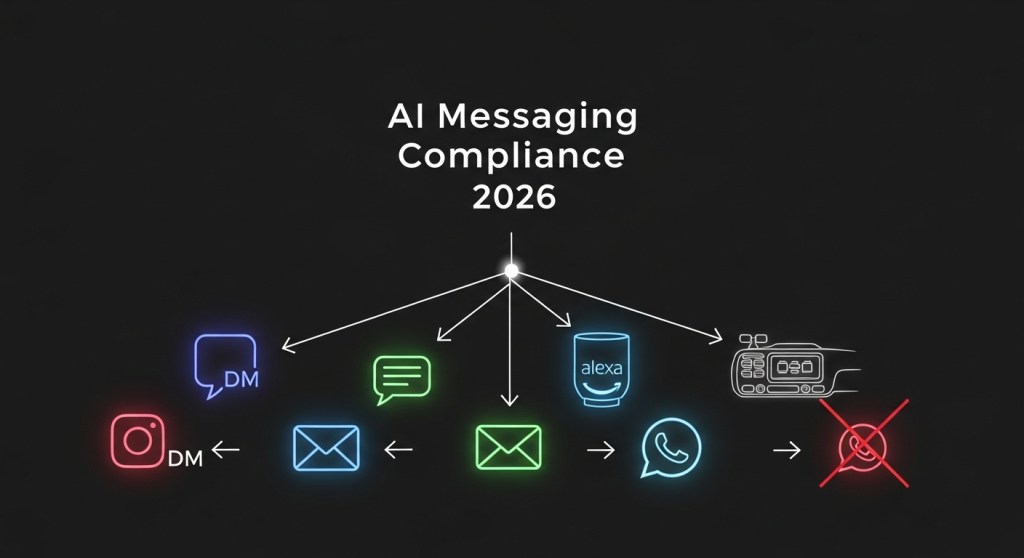
    2. Choose compliant destinations (60 min). For each Must‑Keep flow, pick one or two channels: Instagram DM, web chat, email, SMS, Alexa+ voice booking, IVR, or in‑car assistants where appropriate.
    3. Ship minimal viable handoffs (2–4 hrs). Publish an auto‑reply on WhatsApp that (a) acknowledges the change, (b) offers two alternatives, and (c) deep‑links users there. Keep copy friendly and specific; examples below.
    4. Preserve consent & context (1–2 hrs). Port opt‑in records where allowed, and attach conversation history as metadata when you hand off to another channel or a human.
    5. Turn on measurement from day one (1 hr). Add UTMs and event tracking in your new flows so you can see drop‑off and revenue impact by channel.
    6. Publish a status note (30 min). Put a short banner on your site/support center explaining which channels are live and how to reach you now.

    Recommended migration patterns (with examples)

    Use these patterns to keep sales and support moving while staying within platform rules.

    1) Sales and product discovery → Instagram DM + web chat

    • Flow: WhatsApp auto‑reply → deep link to Instagram DM and on‑site web chat → quick carousel of products → collect email for follow‑up.
    • Copy starter: “We’re moving to compliant channels. Tap here to continue in Instagram DM or use our web chat now.”
    • Pro tip: Reuse your best responses and product cards. Keep replies under 3 lines and add one clear CTA per turn.

    2) Bookings and appointments → Alexa+ voice booking

    • Flow: Auto‑reply → Alexa+ → book via Square/Yelp/Expedia integration → confirmation email/SMS.
    • How‑to: Follow our detailed guide to rank and convert in voice search and become bookable in days. See Alexa+ Local Booking SEO.
    • Pro tip: Use location terms (“near me”, neighborhoods) and service qualifiers (“open now”, “walk‑in”) in your descriptions for higher voice intent capture.

    3) Order status, returns, and FAQs → Email + web chat (human fallback)

    • Flow: Auto‑reply → authenticated web chat for order lookup → smart triage → resolve or escalate to email ticket with full transcript.
    • Instrumentation: Track Auth success, First contact resolution, Return started, and CSAT.

    4) Car moments and hands‑free shopping → In‑car assistants

    • Flow: Auto‑reply → send a link to an in‑car friendly page (big targets, 3 options max) → save to cart or schedule pickup.
    • How‑to: Measure assistant funnels and attribute revenue from voice/car sessions with our blueprint: Assistant Analytics for 2026.

    5) Abandoned cart nudges → Email (primary) + SMS (backup)

    • Flow: Capture intent → email sequence with dynamic cart content → SMS reminder for opted‑in users → smart suppression when purchase completes.
    • Pro tip: Keep nudges helpful, not spammy. Offer value (free size guide, fit quiz) before discounts.

    For 12 ready‑to‑run migration patterns, see our full playbook: WhatsApp’s Jan 15 AI Bot Ban: 12 Migration Playbooks.

    Compliance and governance guardrails (copy‑paste checklist)

    • Transparent handoff: Clearly say why the channel is changing and what users can expect next.
    • Consent continuity: Only reuse consent where permitted. Re‑capture consent when moving to a new channel.
    • Data minimization: Pass only the fields needed to fulfill the task (order ID, ZIP, time window), not the whole transcript.
    • Human‑in‑the‑loop: Provide a visible “Talk to a person” option within 2–3 steps.
    • Safety rails: Rate‑limit outbound messages, cap retries, and suppress after resolution.
    • Content policy controls: Filter risky intents and set escalation rules (e.g., medical, legal, financial).
    • Auditability: Log model prompts, versions, and decisions that affect customers. Keep a 30–90 day retention policy aligned with your privacy policy.

    Measure what matters from day one

    Don’t wait to retrofit analytics. Instrument the new flows with a simple event model:

    • Session start (channel, source UTM)
    • Step complete (intent → state, e.g., Return.Started)
    • Human takeover (reason code)
    • Conversion (sale, booking, refund, NPS/CSAT)
    • Attribution (original channel → assist credit)

    Use our blueprint with examples for Shopify and WooCommerce: Assistant Analytics for 2026.

    E‑commerce playbook: scripts you can ship today

    Auto‑reply (WhatsApp → alternatives)

    “We’re moving our automated help to compliant channels. Continue in Instagram DM or use our web chat. For orders, reply with your email and we’ll send a secure lookup link.”

    Voice booking prompt (Alexa+)

    “Alexa, book a cleaning with [Brand].” Add business hours, neighborhoods, and popular services to your profile. For more voice tips, see Assistant SEO for 2026 and Alexa+ Local Booking SEO.

    Order lookup (web chat)

    “What’s your email or order number?” → validate → “Found it. Would you like delivery updates, a return label, or help picking a different size?”

    Returns choice architecture

    • Option A: “Instant exchange” (ship new size now)
    • Option B: “Store credit + 10% bonus”
    • Option C: “Refund to original payment”

    Team owner map (who does what this week)

    • Product: Decide the minimum viable flows per channel and ship copy.
    • Engineering: Wire deep links, event tracking, and data minimization rules.
    • Marketing: Update site banners, email templates, and FAQ pages.
    • Support: Define takeover rules, macros, and escalation SLAs.
    • Legal: Review consent wording and retention schedules.
    • Ops: QA bookings/payments/refunds end‑to‑end in the new channels.

    Ship faster with HireNinja

    HireNinja helps teams migrate and scale compliant AI assistants across channels in days, not months.

    • Prebuilt flows for bookings, order status, returns, and subscriptions.
    • Connectors for Shopify, WooCommerce, Square, Yelp, and email/SMS tools.
    • Built‑in guardrails: consent capture, logging, redaction, and rate limits.
    • Assistant analytics out of the box: UTMs, funnels, revenue attribution.

    Final checklist

    • Publish a WhatsApp auto‑reply with two compliant alternatives.
    • Stand up Instagram DM + web chat for sales and support triage.
    • Enable Alexa+ booking if you sell time‑based services.
    • Instrument UTMs and events before traffic arrives.
    • Turn on human takeover and log consent everywhere.

    Next step: Need a hands‑on migration plan? Try HireNinja or book a free working session—bring one flow, leave with a compliant, measured version live.

  • Alexa+ Local Booking SEO: Rank in Voice and Get Booked via Square, Yelp, Angi & Expedia

    Alexa+ Local Booking SEO: Rank in Voice and Get Booked via Square, Yelp, Angi & Expedia

    Summary: Alexa+ is becoming a booking surface. This guide shows local services and hospitality brands how to rank and convert in assistant-driven searches using Square, Yelp, Angi, and Expedia—then measure it, fast.

    What we’ll do in this guide

    • Map the January 2026 shift in assistant distribution.
    • Assemble a lightweight Local Booking SEO stack for Alexa+.
    • Ship a 48‑hour checklist that actually drives bookings.
    • Instrument analytics and KPIs you can trust.
    • Avoid common compliance and UX pitfalls.

    Why this matters right now

    Two things just collided: Alexa+ is adding transactional integrations across local services and travel, and in‑car assistants are spreading via Android Auto with Gemini. Meanwhile, WhatsApp’s January changes are pushing “general AI chat” volume to other surfaces. Translation: more customers will say, “Find a barber after 4 p.m.” or “Book a pet‑friendly hotel this weekend” and complete the entire booking without touching your website.

    If you’re a salon, plumber, clinic, gym, or boutique hotel, you can be discoverable and bookable in days—not months.

    Deep dives that pair well with this playbook:

    The Alexa+ Local Booking SEO stack

    1. Inventory & availability (Square Appointments)
      Define 3–5 bookable services with plain names, fixed durations, clear buffers, and prices. Turn on deposits or pre‑auth for no‑shows. Keep names and prices identical everywhere (site, Square, Yelp). Consistency increases answer confidence and reduces back‑and‑forth.

    2. Reputation & category mapping (Yelp)
      Select the most accurate categories, add 5–8 service keywords people actually say (e.g., “fade,” “curly cut,” “same‑day plumber”), upload 8–12 high‑contrast photos, and enable booking or quote actions. Use Yelp Q&A to pre‑answer objections like parking, deposits, and kid‑friendly options—assistants often surface those snippets.

    3. Home services discovery (Angi)
      If you handle jobs like HVAC, plumbing, electrical, moving, cleaning, or repairs, make sure your Angi profile is complete, pricing is realistic, and job types match your Square services. Assistants weigh availability, category fit, proximity, and reviews together.

    4. Lodging inventory (Expedia)
      Normalize room names (e.g., “Queen room with desk”), expose live inventory for the next 14 days, publish refund windows, and make amenities explicit (EV charging, pet policy, parking). Assistants often default to flexible, clearly described options.

    5. Speakable, skimmable pages on your site
      Create one intent‑named page per top task (e.g., /book‑gel‑manicure, /book‑drain‑cleaning, /book‑queen‑room). Start with a 2–3 sentence TL;DR, then price, inclusions, prep notes, and a one‑sentence cancellation policy. Keep sentences short; avoid brand jargon.

    6. Assistant prompts, not just keywords
      Draft 10–15 ways customers ask per service: “after 4 p.m.,” “this Saturday,” “near me,” “under $100,” “ADA access,” “female barber available.” Use these exact phrases in on‑page copy, FAQs, and Q&A.

    Background on the new Alexa+ integrations: see Amazon’s announcement for Square, Yelp, Angi, and Expedia.

    How Alexa+ likely chooses a provider

    While rankings are opaque, in practice we see assistants prioritize:

    • Clarity: Clean service names, durations, and prices across Square/Yelp/your site.
    • Availability fit: First viable slot that matches the user’s constraints.
    • Category and proximity: Correct categories, coverage area, and matching distance.
    • Reputation signals: Reviews, photos, and responsiveness (quote/booking action enabled).
    • Policy confidence: Clear refund/no‑show terms to read back in a single confirmation sentence.

    Your 48‑hour checklist (copy/paste)

    Hour 0–6: Define bookable inventory

    • Pick 3–5 services you’ll actually book via voice. Keep names short and obvious.
    • Set durations, buffers, and staff skills. Decide deposit/pre‑auth rules.
    • Write a one‑sentence cancellation policy (readable aloud).

    Hour 6–24: Square

    • Create services with identical names/prices to your site and Yelp.
    • Publish real availability (not just “open hours”). Assistants optimize for the first acceptable slot.
    • Enable reminders and no‑show protection. Add staff bios and capabilities.

    Hour 24–36: Yelp & Angi

    • Choose the tightest categories; add natural‑language service keywords.
    • Turn on booking/quote actions; complete Q&A for objections you hear weekly.
    • Sync phone, address, hours, and prices with Square exactly.

    Hour 36–48: Website & testing

    • Ship one intent page per service with TL;DR, price, inclusions, prep notes, policy.
    • Run these scripts three times each:
      1. “Find a barber after 4 p.m. within 5 miles.”
      2. “Reschedule my 2 p.m. mani‑pedi to next Wednesday morning.”
      3. “Book a pet‑friendly hotel this weekend under $180, free cancellation.”
    • Confirm read‑back includes date, time, price, location, and cancellation window—then a single “Confirm” or “Change” prompt.

    Measure what matters

    Instrument three events: assistant_start, assistant_confirm, assistant_cancel_or_change. Add a UTM like utm_source=alexa&utm_medium=assistant&utm_campaign=q1‑bookings to any links routed through your site.

    • Assistant booking rate = confirmations ÷ assistant sessions (target 8–15% in month one).
    • Time‑to‑first availability = seconds from request to first viable slot (aim < 30s).
    • Rebooking deflection = % cancellations that rebook in the same session (target 35%+).
    • Refund friction = % refund‑eligible bookings handled self‑serve (start 20%+).

    Need a dashboard without engineering lift? HireNinja can auto‑capture these events and surface assistant KPIs.

    Common pitfalls (and quick fixes)

    • Mismatched data: Names/prices/hours differ across Square, Yelp, and your site. Fix by choosing one source of truth and syncing weekly.
    • Over‑stuffed menus: Too many services confuse conversational flows. Limit to 3–5 bookable SKUs.
    • Vague policies: Assistants avoid unclear refunds/no‑shows. Publish a 3‑line TL;DR and a full paragraph version.
    • No testing scripts: If you can’t confirm three realistic requests end‑to‑end, you’re not ready for paid traffic.
    • Ignoring in‑car moments: With Gemini expanding on Android Auto, add short, safe spoken flows (e.g., “text link to menu,” “book first available,” “call to confirm”).

    Where this goes next

    Alexa+ is turning spoken intent into a checkout. As Gemini spreads to cars and mobile surfaces, the brands that win will describe their services in clear, constraint‑friendly language, keep inventory/pricing consistent, and instrument the full funnel. Do those three things and you’ll see voice‑sourced bookings in your calendar this month.

    Launch with HireNinja (fast)

    Want this live by next week? HireNinja can spin up compliant booking flows, assistant‑ready pages, and analytics for Alexa+—and help you prep for Android Auto and in‑car assistants. Prefer to price it out first? See plans and get started.

    Next read: 72‑Hour Alexa+ Booking Sprint.

  • WhatsApp’s Jan 15 AI Bot Ban: 12 Migration Playbooks to Keep Sales and Support Alive

    WhatsApp’s Jan 15 AI Bot Ban: 12 Migration Playbooks to Keep Sales and Support Alive

    Updated: January 3, 2026 — Practical steps for founders, e‑commerce operators, and support leaders.

    WhatsApp’s policy shift set for January 15, 2026 has many teams asking one question: “How do we keep conversions and support running without breaking rules?” Instead of scrambling during the final week, deploy the playbooks below and protect revenue now. Each is built to be shipped in days, not months.

    What’s actually at risk?

    • 24/7 AI chat flows that currently run inside WhatsApp.
    • Lead capture and shopper assistance starting from WA entry points (QR codes, links, ads).
    • Support deflection to automated answers for returns, order status, and FAQs.

    Good news: You can preserve most outcomes by shifting automation to compliant channels and using WhatsApp only as a handoff and notification layer where permitted. Use our Assistant Analytics blueprint to measure the before/after impact.

    12 migration playbooks you can ship this week

    1) Instagram DM Automation for Pre‑Purchase

    Move “shop the look,” size help, and restock alerts into IG DM where your audience already browses. Add story stickers and bio links that deep‑link into a DM thread with a guided menu.

    1. Start with a 5‑question decision tree: category → size → fit guide → price → cart link.
    2. Route complex queries to a human in the same thread with a clear handoff message.
    3. Track DM→cart with UTMs and a discount code unique to Instagram.

    2) Web Chat that Identifies Users (and SSO‑links from WhatsApp)

    Replace long WA chats with a signed web chat tied to the shopper’s account. From WhatsApp, send a short message: “For faster help, continue here,” linking to a signed session URL. Keep the WA thread for order updates only.

    3) Email Copilot for Post‑Purchase Support

    Automate order status, returns labels, and warranty Q&A over email. It’s slower than chat, but compliant and searchable. Add smart snippets like: “Click to get your return label,” powered by secure, expiring links.

    4) Self‑Serve Help Hub with A‑SEO

    Ship an FAQ hub optimized for assistant surfaces (voice and in‑car). Follow the A‑SEO playbook: short question titles, action verbs, and one canonical answer per page. Add “Get human help” buttons that open your web chat or IG DM.

    5) iMessage for Business (Apple Messages for Business)

    For iOS‑heavy audiences, stand up guided flows for order lookups and appointment rescheduling. Keep prompts transactional, link to your help hub for long answers, and display business hours to set expectations.

    6) Messenger/Telegram as Overflow Channels

    Not your primary—use these as overflow during peaks. Mirror the same short decision trees and keep promo pushes opt‑in only.

    7) Alexa+ for Voice Bookings and Repeat Orders

    Voice is ideal for reorders and time‑boxed tasks. Use our 72‑hour voice launch guide to publish a minimal booking/order assistant, then iterate. Read: Alexa+ booking firehose and the 7‑day Alexa+ founder sprint.

    8) Android Auto & In‑Car Moments

    Car time is high intent: “track my order,” “extend rental,” “reorder last.” Build 3–5 voice intents that finish in under 20 seconds. See our 10‑day in‑car plan and weekly assistant roundup.

    9) Smart Forms Instead of Open Chat

    For returns, warranty, and repairs, swap free‑text chat for a 6‑field smart form that generates labels/appointments instantly. Forms convert higher on mobile and are easier to govern.

    10) Proactive Notifications (Within Policy)

    Use permitted templates to send short status pings, then deep‑link to a compliant channel for the full conversation. Example: “Your order is delayed. Get options here →” to a signed web chat URL.

    11) Human‑in‑the‑Loop Escalation Map

    Define where the bot stops: high‑value refunds, medical/legal claims, and VIP tiers. Escalate to trained agents with full context from the last 5 messages and customer profile.

    12) Analytics & UTM Discipline

    Tag every entry point and outcome. Adopt the Assistant Analytics schema and build one Looker/GA4 dashboard with funnels per channel.

    Copy‑paste building blocks

    Short handoff message (from WhatsApp → web chat)

    We can resolve this faster in our secure chat. Open link (valid 15 min): https://example.com/help?session={token}

    IG DM quick menu

    • 🧾 Order status
    • ↩️ Returns/exchanges
    • 📦 Where’s my package?
    • 👕 Size & fit help
    • 🛒 Add to cart

    UTM starter kit

    utm_source=whatsapp&utm_medium=handoff&utm_campaign=jan15_migration&utm_content={playbook_name}

    Guardrails: compliance and trust

    • Consent: Do not auto‑enroll users into new channels; show a one‑tap consent.
    • Data minimization: Only collect what you need (order ID, email); avoid full transcripts unless required.
    • Retention: Set auto‑deletion timers for failed authentication or inactive chats.
    • Fallback: If the bot detects frustration (2+ repeats), escalate immediately to a human or show a phone callback option.

    For a wider market view and how policy shifts are reshaping distribution, read our 2026 Assistant Channel Map and CES week plan.

    Example rollout plan (48–72 hours)

    1. Day 1 AM: Enable signed web chat; publish 6 core FAQs with A‑SEO; create IG DM quick menu.
    2. Day 1 PM: Add WhatsApp → web chat handoff link; set up order status + returns forms.
    3. Day 2 AM: Launch Alexa+ reorder intent and one booking flow using our 10‑step launch plan.
    4. Day 2 PM: Turn on email copilot for post‑purchase; train agents on new escalation map.
    5. Day 3: Wire UTMs into one dashboard; run a 48‑hour A/B on IG DM vs. web chat entry points.

    The bottom line

    You don’t need to wait for January 15 to react. Treat WhatsApp as a notification + verified sender and move the heavy conversation to channels you control. Voice (Alexa+, in‑car) and owned surfaces (web, email) can keep conversions high with less policy risk.

    Need this shipped for you? The HireNinja team can stand up these playbooks in days, wire analytics, and train your agents.

    Get a migration plan from HireNinja →

  • Assistant Analytics for 2026: How to Measure Alexa+, WhatsApp, and In‑Car Funnels for E‑Commerce

    Assistant Analytics for 2026: How to Measure Alexa+, WhatsApp, and In‑Car Funnels for E‑Commerce

    Voice, chat, and in‑car assistants are now real acquisition and service channels. But most stores can’t answer a simple question: which assistant touchpoints actually make money? This guide gives you a practical measurement plan—events, UTMs, dashboards, and KPIs—so you can attribute revenue from Alexa+, WhatsApp, and in‑car moments within days, not months.

    Who this is for

    • Shopify and WooCommerce operators adding assistant flows for sales and support.
    • Founders and PMs who need channel‑level ROI and payback windows.
    • Marketing and RevOps teams instrumenting new surfaces without a full data team.

    The outcomes you’ll get

    • A clean event taxonomy for assistant journeys (voice, chat, in‑car).
    • UTM and link recipes that survive deep links, short links, and phone calls.
    • Dashboards that show revenue, AOV, CPA, and assisted conversions by assistant channel.

    The KPI scoreboard to track from Day 1

    Instrument these seven KPIs first. They’re comparable across channels and simple to explain to finance.

    1. Revenue by channel: Alexa+, WhatsApp, In‑Car (and sub‑intents like reorder, track, book).
    2. Conversion rate: Transactions / assistant sessions.
    3. Average order value (AOV): Revenue / transactions by channel.
    4. Cost per acquisition (CPA): Media + assistant ops cost / transactions.
    5. Response rate: Replies / assistant messages or prompts sent.
    6. Handoff rate: Human‑agent transfers / assistant sessions (aim to reduce without hurting CSAT).
    7. Payback period: CAC / gross margin contribution from assistant‑sourced orders.

    Event taxonomy: the 12 events you actually need

    Keep the schema stable across surfaces so your dashboards align. Prefix events with the channel to make queries effortless.

    {
      "alexa_session_start": {"channel":"alexa","intent":"browse|reorder|book|track_order"},
      "alexa_cta_click": {"destination":"/collections/winter","variant":"hero|recommendation"},
      "alexa_add_to_cart": {"sku":"ABC123","qty":1,"price":49.00},
      "alexa_checkout_start": {"cart_value":98.00,"items":2},
      "alexa_purchase": {"order_id":"A1001","revenue":98.00,"aov":49.00},
    
      "wa_session_start": {"channel":"whatsapp","flow":"support|reorder|browse"},
      "wa_handoff_to_human": {"reason":"refund|complex_issue|payment"},
      "wa_purchase": {"order_id":"W2001","revenue":64.00},
    
      "icar_session_start": {"channel":"in_car","context":"commute|errand|trip"},
      "icar_add_to_cart": {"sku":"XYZ999","qty":1},
      "icar_purchase": {"order_id":"C3001","revenue":120.00},
    
      "assistant_refund": {"order_id":"*","amount":*}
    }

    Implement on your storefront (client) and your backend (server) so you capture both pre‑ and post‑purchase events reliably.

    UTM and link recipes that won’t break

    Use a consistent scheme so every click, deep link, and callback carries context into analytics, CRM, and billing.

    utm_source={alexa|whatsapp|in_car}
    utm_medium={voice|chat|auto}
    utm_campaign={intent}-{q1_2026}
    utm_content={prompt|slot|reply}-{variant}
    • Alexa+: Link to canonical PDPs/collections with UTMs. Use short links if your assistant requires spoken URLs, then 302 to the canonical URL with UTMs preserved.
    • WhatsApp: For “Send catalog” or “Track order” replies, append UTMs to the links your bot returns. Also include a wa_session_id param so server events can join the journey.
    • In‑Car: Prefer app deep links if your app is installed; otherwise send users to mobile‑optimized PDPs or quick‑checkout links with preserved UTMs.

    Shopify and WooCommerce: quick implementation patterns

    Shopify

    • Add UTM‑aware cart.js or Cart Transform to store utm_* and assistant_channel into cart attributes and then order attributes.
    • Fire purchase server‑side from your backend using the order webhook, enriching with assistant_channel, session_id, and intent.
    • Create a “Voice & Chat” collection to use as a single landing hub for assistant traffic.

    WooCommerce

    • Capture UTMs into order meta at checkout; mirror to GA4 via server‑side Measurement Protocol.
    • Use query‑string controlled PDP blocks (e.g., ?assistant=reorder) to show smaller, faster layouts for in‑car sessions.

    Server‑side events: the glue for reliable attribution

    Client‑only tracking drops when users switch apps or networks. Always emit server‑side events on:

    • Order created / paid (source of truth for revenue).
    • Refunds (so ROAS and payback are honest).
    • Assistant milestones (e.g., WhatsApp reply, Alexa prompt → link sent) joined via session_id.

    Keep PII out of analytics payloads; use stable, hashed IDs to join across systems.

    Phone calls and handoffs: don’t lose attribution

    • Wrap tel: links with UTMs (e.g., tel:+1-212-555-0100?src=alexa&intent=book) and capture as an event before dialing.
    • If you use dynamic numbers for call tracking, carry the assistant_channel into the call session so closed‑won orders attribute correctly.
    • Log handoff reasons to reduce future friction (payment, inventory, policy, etc.).

    Privacy and compliance guardrails

    • Only store what you need for attribution; keep content of conversations out of analytics.
    • Provide opt‑out paths for marketing measurement and respect user locale/country settings.
    • Encrypt assistant session IDs at rest; rotate keys on a set schedule.

    Your 7‑Day instrumentation sprint

    1. Day 1: Define your UTM schema and event names. Create a “Voice & Chat” collection or landing page.
    2. Day 2: Capture UTMs into cart/order attributes (Shopify) or order meta (WooCommerce). Add server‑side purchase events.
    3. Day 3: Implement assistant milestones (*_session_start, *_cta_click, *_purchase). Add handoff_to_human.
    4. Day 4: Build a GA4 Exploration (funnel + pathing) and a Looker Studio overview (channel card, revenue, AOV, CPA).
    5. Day 5: Create quick‑checkout links for top 10 SKUs with UTMs and test via Alexa+/WhatsApp flows.
    6. Day 6: Validate refunds and cancellations post back to analytics. Sanity‑check payback math.
    7. Day 7: Set alerts: CR drop > 30%, handoff rate > 15%, AOV delta > 20% vs web baseline.

    Dashboards that answer revenue questions fast

    Build two views and share them with finance and support:

    1) Executive Overview

    • Revenue, Orders, AOV by channel (Alexa+, WhatsApp, In‑Car) for the last 7/30 days.
    • CPA and Payback by channel.
    • Top intents by revenue (reorder, book, track → upsell).

    2) Journey Explorer

    • Paths: assistant → PDP → cart → checkout → purchase.
    • Drop‑offs by device context (voice, chat, auto) with error logs.
    • Handoff reasons and their impact on conversion and CSAT.

    Common pitfalls (and easy fixes)

    • Broken UTMs via short links: Always 302 to a canonical URL with UTMs preserved. Test with and without trailing slashes.
    • Assistant traffic mixed with owned email/SMS: Reserve distinct utm_medium values like voice, chat, and auto.
    • No refund events: Your ROAS is fantasy without assistant_refund. Instrument it.
    • Only client‑side tracking: Add server‑side orders and refunds; they’re your source of truth.

    Related playbooks to ship next

    Wrap‑up

    Assistant channels move fast, but measurement doesn’t have to lag. With a stable taxonomy, resilient UTMs, and server‑side events, you can trust your numbers and invest where revenue is real.

    Try HireNinja: Ship assistant analytics the easy way

  • CES 2026 Just Reset the Assistant Map: WhatsApp’s Jan 15 Policy, Alexa+ Bookings, and Gemini In‑Car — Your 7‑Day Plan

    CES 2026 Just Reset the Assistant Map: WhatsApp’s Jan 15 Policy, Alexa+ Bookings, and Gemini In‑Car — Your 7‑Day Plan

    Published: January 2, 2026

    Assistant distribution is shifting in real time as CES 2026 (Jan 6–9) kicks off. Here’s what changed this week and exactly how founders can ship in seven days to capture bookings, retention, and post‑purchase support.

    What’s new (and why it matters)

    • WhatsApp policy countdown (Jan 15, 2026): WhatsApp’s rule change curbing distribution of general‑purpose AI chatbots is still on the calendar, even as Italy’s AGCM ordered Meta to suspend the ban pending investigation and the EU opened a probe. Treat WhatsApp as support‑first and stay strictly compliant. Sources: TechCrunch, TechCrunch.
    • Alexa+ becomes a booking engine: Amazon announced integrations with Expedia, Yelp, Angi, and Square, turning Alexa+ into a practical path for voice‑native discovery and bookings across travel, local services, and salons. Source: Amazon.
    • Gemini spreads to the car and dashboard: Google is rolling Gemini deeper into Android Auto and Waymo is testing an in‑car Ride Assistant. Think: hands‑free sales moments and concierge‑style support while in motion. Sources: WIRED, TechCrunch.
    • Signal from the field: December’s San Francisco outage showed robotaxi systems can stumble in emergencies. Design your in‑car flows to be assistive but non‑driving‑critical and resilient to connectivity drops. Source: Reuters.

    Who this playbook is for

    Startup founders, e‑commerce operators, and product/growth leads who want immediate, measurable wins from assistant channels in Q1. If you own revenue, support, or retention, this 7‑day plan is for you.

    Your 7‑day ship plan

    1. Day 1 — Define the high‑intent moments

      List the top 10 intents that drive dollars or save dollars. Examples:

      • Bookings: “Book a haircut Friday 4pm,” “Find pet‑friendly hotel under $200.”
      • Support: “Where’s my order?,” “Start a return,” “Warranty claim.”
      • In‑car: “Reschedule pickup to 7:15,” “Text store that I’m 10 minutes out.”
    2. Day 2 — Lock WhatsApp into support‑first

      Given the Jan 15 policy, re‑scope WhatsApp to customer service and post‑purchase care only. Ship flows that are clearly transactional/service:

      • Order status, delivery windows, returns/exchanges
      • Warranty registration and claim triage
      • Appointment reminders/rescheduling (if you’re services)

      Use intent guardrails, clear hand‑offs to human agents, and explicit disclosures. If you need a blueprint, see our guide: Build a compliant WhatsApp support bot.

    3. Day 3 — Become voice‑bookable on Alexa+

      Map your top two revenue intents to Alexa+ integrations announced for 2026:

      • Square: Pull availability and create, modify, or cancel salon/spa/grooming appointments.
      • Yelp: Improve local discovery for your service area and category.
      • Expedia: Hospitality brands: publish inventory/amenities and test voice‑first offers.
      • Angi: Home services: quotes and scheduling for standard jobs.

      Follow the 72‑hour checklist here: Become voice‑bookable in 72 hours.

    4. Day 4 — Prep for Android Auto and the in‑car moment

      Design 3–5 hands‑free tasks that are safe, short, and valuable:

      • Status: “What’s my order ETA?” → speakable summary + link SMS’ed for later.
      • Rescheduling: “Move my 4pm appointment to tomorrow morning.”
      • Store ops: “Tell the curbside team I’m at Bay 3.”

      Keep responses under 12 seconds, avoid real‑time driving commentary, and cache answers for poor connectivity. Deep dive: In‑car AI assistants: your 10‑day plan.

    5. Day 5 — Ship Assistant SEO (A‑SEO) pages

      Assistants need structured, action‑ready content. Publish pages that answer and transact in one place:

      • “Reschedule my [service]” pages with intent schemas, hours, cancellation rules, and links.
      • “Track my order” pages with authentication hand‑off and speakable FAQs.
      • “Book [service] near me” with inventory, price ranges, and modifiers.

      Use our playbook: Assistant SEO (A‑SEO) for 2026.

    6. Day 6 — Instrument KPIs and guardrails

      Track channel‑specific metrics so you know what to scale:

      • WhatsApp: deflected tickets, CSAT/NPS uplift vs. email, hand‑off rate to human.
      • Alexa+: discovery → selection → booking funnel, no‑show rate, repeat bookings.
      • In‑car/Android Auto: task completion time, abandonment under 12s, SMS follow‑through.

      Add safety rails: intent whitelists, profanity/harassment filters, privacy warnings for PII, and emergency fail‑safes (never give driving advice).

    7. Day 7 — Compliance check (15‑minute sweep)

      Do a fast pass against current rules and timelines:

      • WhatsApp: confirm your bot is support‑only and clearly disclosed; remove general‑purpose chat modes.
      • EU AI Act 2026 milestones: transparency and high‑risk obligations begin ramping by August 2, 2026; ensure your docs, logging, and human‑oversight plans exist for higher‑risk use cases. Start here: EU AI Act overview.

    Fast examples by vertical

    • Salon/Wellness: Publish an Alexa+ path using Square for “new booking,” “reschedule,” and “cancel.” Add a WhatsApp flow for post‑visit care and upsell to memberships. Instrument no‑shows and rebooking rate.
    • DTC e‑commerce: Make WhatsApp your post‑purchase hub (order status, exchanges, warranty). Build an A‑SEO “Track my order” page and a “Find store pickup” in‑car flow.
    • Home services: Use Alexa+ with Yelp/Angi for quotes and scheduling; WhatsApp for job updates and technician ETA; in‑car for customer arrival messages and payment links.

    Avoid these common pitfalls

    • Unscoped bots on WhatsApp: If your assistant acts like a general‑purpose chatbot, you risk shutdown. Keep it clearly service‑oriented.
    • Overlong voice responses: Anything past ~12 seconds leads to drop‑offs. Summarize and send a follow‑up link/SMS.
    • Data‑blind bookings: Without availability and policy data wired in, Alexa+ flows will fail. Connect inventory, calendars, and rules before launch.
    • No audit trail: Add logging from day one (prompts, actions, outcomes) to prepare for EU AI Act reviews and internal QA.

    Resources to move faster

    Build it fast with HireNinja

    If you want a turnkey way to ship compliant, multi‑channel assistants, our team can help. We’ll wire your WhatsApp support flows, publish Alexa+ intents to Square/Yelp/Expedia, and add in‑car moments that convert — with analytics and guardrails built‑in.

    Call to action: Book a 20‑minute working session — we’ll map your top three intents and ship your first production flow this week.

    Note: Dates and policies are current as of January 2, 2026. Always review platform terms and local regulations before launch.

  • This Week in AI Assistants (Jan 1, 2026): WhatsApp’s Ban Countdown, Gemini on Android Auto, Waymo’s In‑Car AI — What Founders Should Do Now

    Quick checklist for this briefing

    • Understand what changes on WhatsApp by January 15, 2026 — and where Italy’s ruling alters the risk.
    • Decide how you’ll use Android Auto’s Gemini rollout for support and booking moments.
    • Track Waymo’s in‑car AI tests and plan a rider experience stub.
    • Leverage Alexa+ updates (e.g., Ring) for local and service‑driven conversions.
    • Ship a 7‑day plan with clear KPIs; use HireNinja to implement quickly.

    What changed this week — and why it matters

    1) WhatsApp’s AI chatbot ban is still slated for January 15, 2026. Meta’s policy blocks general‑purpose AI assistants from distribution on WhatsApp via the Business API. Importantly, customer support automations for businesses remain allowed. Italy’s competition authority ordered Meta to temporarily suspend the exclusionary terms in Italy while a broader case proceeds, and the EU has opened its own probe. For founders, that means two parallel truths: compliance matters everywhere, and the regulatory picture is fluid in the EU.

    2) Gemini is rolling out to Android Auto, with Google signaling that legacy Assistant support on Android Auto could end as soon as March 2026. Expect a staggered, server‑side transition. Treat in‑car voice as a real channel for directions, orders, and service interactions during commutes — similar to how you design for smart speakers, but with stricter safety and brevity constraints.

    3) Waymo is testing a Gemini‑powered in‑car AI companion for rider Q&A and cabin comfort controls. Even if this remains an experiment for now, it’s a clear sign that ride contexts will host assistants who can answer questions and nudge actions (support lookups, reservations) in the moment.

    4) Alexa+ keeps adding touchpoints (e.g., conversational Ring responses). If you’re a services or local business, front‑door interactions can triage deliveries, qualify leads, and deflect non‑buyers — all while capturing call‑back details.


    Founder take: your channel strategy for January

    Assistant distribution is fragmenting across WhatsApp (support‑only), Android Auto (Gemini), in‑car pilots (Waymo), and home devices (Alexa+). Instead of betting on one, ship lightweight stubs across all four in the next 7 days and iterate with data.

    Day 1–2: Lock WhatsApp into support‑first compliance

    • Audit flows: returns, order status, appointment changes, FAQs. Remove any general chat use that looks like a freeform AI assistant.
    • Implement explicit hand‑offs: human escalation, sensitive topics, and opt‑outs.
    • Instrument KPIs: first‑contact resolution, deflection rate, CSAT, and response times.
    • Brush up with our detailed guide: What’s allowed on WhatsApp + compliant support bots and the contingency plan: 30‑day survival plan.

    Day 3–4: Stand up an Android Auto “commute micro‑assistant”

    • Design for 7–12 second turns. Prioritize: “find nearest,” “reorder,” “reschedule,” and “status” commands. Avoid long, multi‑step flows.
    • Create branded responses that confirm actions succinctly: “Rescheduled for 5:30 pm. Text confirmation sent.”
    • Test fallback copy when Gemini can’t execute: offer a one‑tap deep link to complete later on mobile.
    • Use our in‑car plan: 10‑day plan for Android Auto & robotaxi moments.

    Day 5: Prepare a Waymo rider stub

    • Create a lightweight “rider intro” script: one sentence that identifies your brand and offers one clear action (e.g., “Want 10% off your pickup order at arrival? Say ‘yes’ and I’ll queue it up.”)
    • Offer only one safe, low‑friction action until policies are public and stable.
    • Collect opt‑in preferences for follow‑up on SMS/email once the ride ends.

    Day 6–7: Turn Alexa+ into a bookings and lead‑qual channel

    • Map high‑intent voice entries: “book a cleaning for Friday,” “schedule inspection,” “reserve table at 7.”
    • Use Ring’s conversational prompts at the door to qualify visitors (service, delivery, solicitation) and capture call‑back details.
    • Spin up voice‑bookable offers fast with our tutorial: Voice‑bookable in 72 hours and the sprint: 7‑day Alexa+ founder sprint.

    Policy snapshot (as of January 1, 2026)

    • WhatsApp: Ban targets general‑purpose AI assistants via API; business support automations are allowed. Italy ordered a temporary suspension of the excluding terms in Italy while the case proceeds; the EU is investigating. Monitor geography‑specific changes.
    • Android Auto: Gemini is rolling out now; Google has hinted the legacy Assistant could be shut off for Android Auto by March 2026. Expect uneven account/device rollout and evolving capabilities.
    • Waymo: Gemini in‑car companion is in testing; plan for future rider interactions without over‑promising functionality.
    • Alexa+: New conversational features (including Ring) expand lead capture and service flows at the doorstep.

    For deeper channel SEO, see: Assistant SEO (A‑SEO) for 2026.


    KPIs to track from day one

    • WhatsApp Support: First‑contact resolution (FCR), deflection rate, average handle time (AHT), CSAT, opt‑out rate.
    • Android Auto: Task completion within 1 turn, intent recognition accuracy, interruption rate, abandon rate.
    • Alexa+ / Ring: Qualified lead rate, booking success rate, follow‑up contactability (valid emails/phones captured).
    • In‑car pilots: Opt‑in rate, offer acceptance at arrival, post‑ride conversion within 24 hours.

    How HireNinja can help you ship this in a week

    • Use ready‑made “Ninjas” for support automation, rapid experiments, and voice booking flows.
    • Spin up compliant WhatsApp support, Android Auto stubs, and Alexa+ voice flows with prebuilt blueprints. If you need custom logic, we offer an API‑first approach.
    • Start here: HireNinja.com → Get started; or talk to us about a 7‑day build for Q1.

    Action plan summary

    1. WhatsApp: Lock down compliant support flows; remove general chat. Add guardrails and escalation.
    2. Android Auto: Ship a commute micro‑assistant with 4 intents: find, reorder, reschedule, status.
    3. Waymo: Prepare a minimal rider offer flow for future pilots.
    4. Alexa+: Launch booking + Ring doorstep triage.
    5. Measure: Instrument KPIs from day one, iterate weekly.

    Questions or want a done‑for‑you build? Try HireNinja and ship your assistant playbook this week.

  • Assistant SEO (A‑SEO) for 2026: How to Rank and Convert in Alexa+, WhatsApp, and Android Auto

    Assistants are no longer a novelty feature. With voice, chat, and in‑car experiences maturing, your brand will increasingly be discovered, compared, and booked without a website visit. This guide gives founders and operators a practical, measurement‑first playbook—Assistant SEO (A‑SEO)—to win those moments in 2026.

    What is Assistant SEO (A‑SEO)?

    Assistant SEO is the discipline of earning visibility and conversions on AI assistants—optimizing answers, actions, and deep links so Alexa+, Android/Auto, and messaging bots can understand your catalog, policies, and availability, then complete the task with minimal friction.

    The 7‑step A‑SEO plan

    1) Choose 3–5 high‑value intents

    Prioritize short, transactional jobs with clear outcomes:

    • “Find and book a 4:30 p.m. appointment near me.”
    • “Reorder last week’s item for pickup.”
    • “Where’s my order? Start an exchange.”
    • “Book two nights, pet‑friendly, under $180.”

    Each intent needs a one‑sentence success definition: who, what, where, when, and how you confirm.

    2) Make content speakable and skimmable

    Create concise, intent‑named pages that assistants can quote. Aim for one page per top task:

    • /book‑gel‑manicure
    • /reorder‑house‑blend
    • /check‑order‑status

    Each page should open with a TL;DR answer (two sentences), a short confirmation script (“I found a slot at 4:30 p.m. at Main St. Confirm?”), and a single deep link to finish if needed.

    3) Add structured data that maps to actions

    Use schema to make your answers sourceable and your actions executable:

    • FAQPage for concise Q&A on policies and pricing.
    • LocalBusiness, Service, Product, Offer for catalog and availability.
    • Speakable sections (or clearly labeled TL;DR blocks) for voice readouts.
    • ReservationAction, OrderAction represented via links or partner integrations.

    Keep names, hours, and prices consistent with your partner listings (e.g., Yelp, Square, Expedia) to reduce mismatch.

    4) Connect answers to actions

    Assistant answers should always lead to a safe next step:

    • Alexa+: short response → deep link to a confirmation page or a partner booking flow.
    • WhatsApp (support automation): menu‑driven flows for order status, exchanges, returns, and store info (no open‑ended “general chat”).
    • Android Auto / in‑car: single‑turn answers with a one‑tap “finish on phone” link; avoid long forms while driving.

    For a channel primer and examples, see our posts on becoming voice‑bookable in 72 hours and in‑car assistant moments.

    5) Instrument analytics from day one

    Standardize UTMs and events so you can attribute outcomes to assistant surfaces:

    event: assistant_intent
    props: {
      assistant_surface: "alexa|androidauto|whatsapp",
      intent: "book_service|track_order|reorder|...",
      session_id: uuid,
      authenticated: true|false,
      resolved: true|false,
      escalation_channel: "human_chat|ticket|phone",
      revenue: number,
      csat: 1..5
    }
    UTM: ?utm_source=assistant&utm_medium=alexa|androidauto|whatsapp&utm_campaign=intent_name
    

    6) Write guardrails and handoffs

    Publish a one‑pager that defines allowed intents, blocked intents, data handling, redaction, and human‑handoff rules. In messaging flows, prefer masked status first and only request identifiers when necessary. Always provide a human path with hours and SLA.

    7) Red‑team, pilot, iterate

    Run adversarial tests (date changes, policy edge cases, network drop). Launch in one city or cohort, track KPIs for two weeks, then ship micro‑fixes before expanding.

    Channel tactics that work

    Alexa+ (commerce and local services)

    • Keep answers under 40–60 words; end with a confirmation question or one deep link.
    • Map three intents to partners you already use (Square calendars, Yelp discovery, Expedia lodging).
    • Limit PII over voice; prefer link‑based checkout (Apple/Google Pay) or pay‑at‑pickup.

    Fast‑track plan: 72‑hour Alexa+ setup.

    WhatsApp (customer support automation)

    • Design menu‑first flows (WISMO, returns, exchanges, store hours) with clear copy and policy links.
    • Authenticate only when needed; keep summaries concise before asking for IDs.
    • Log consent and provide a human handoff path.

    Build a compliant bot using our step‑by‑step: WhatsApp compliance playbook.

    Android Auto and in‑car assistants

    • Design for zero‑scroll answers and one‑tap follow‑ups; defer anything complex to the phone.
    • Create “concise” versions of key pages for drive‑time: short bullets, bold constraints, and a single CTA.
    • Instrument with utm_source=assistant and utm_medium=androidauto to track lift.

    Get channel context and flows: in‑car AI guide and the broader 2026 assistant channel map.

    Copy snippets you can adapt

    Booking confirmation (voice)

    “I found a 4:30 p.m. slot at our Main St. location. It’s a 45‑minute service at $55 with a 2‑hour cancellation window. Should I reserve it?”

    Order status (messaging)

    “Your order is in transit. Want to start an exchange or get a return label?”

    Reorder (in‑car)

    “I can reorder last week’s house blend for pickup after 6 p.m. at Oak Ave. Confirm?”

    KPIs to prove channel fit

    • Intent success (book/reorder/resolve): 70–80% in week one; 85%+ by month two.
    • Time‑to‑first slot: under 30 seconds (bookings); time‑to‑answer: under 10 seconds (order status).
    • Deflection (support resolved without human): 40–60% with clear policies and read‑backs.
    • CSAT: ≥4.3/5 with a 15%+ response rate.

    Common pitfalls (and fixes)

    • Long, chatty answers: Replace with TL;DR + one action. Assistants reward brevity.
    • Inconsistent details across your site and partner listings: standardize names, hours, and prices.
    • Collecting card data in‑flow: send a secure payment link to the phone instead.
    • No human path: publish hours, escalation channels, and SLAs.

    Real‑world patterns to copy

    • Local salon (Square + Yelp): “Find a stylist at 4:30 p.m.” → Alexa+ suggests two options, reads back price and cancel policy, then confirms. A link opens on the phone to finalize.
    • Pizza chain (Android Auto): “Reorder my usual.” → confirm pickup time and store → one‑tap pay on phone.
    • DTC brand (WhatsApp): “Where’s my order?” → status → exchange/return → email label, no agent needed.

    Ship faster with HireNinja

    Want the turnkey version? HireNinja can wire your Alexa+ intents to Yelp/Square/Expedia, publish assistant‑ready pages and structured data, and add analytics to track bookings and deflections—without heavy engineering.

    Bottom line: Assistants are a real distribution channel. If you make your answers concise, your actions safe, and your analytics tight, you’ll convert assistant intent into revenue in January—not “someday.”

  • In‑Car AI Assistants Just Became a Real Channel: Your 10‑Day Plan for Android Auto and Robotaxi Moments

    In‑Car AI Assistants Just Became a Real Channel: Your 10‑Day Plan for Android Auto and Robotaxi Moments

    Updated December 31, 2025

    Three headlines turned the key on assistant distribution this week: Amazon announced Alexa+ integrations with Expedia, Yelp, Angi, and Square (Dec 23, 2025); Waymo was spotted testing a Gemini ride assistant in its robotaxis (Dec 24, 2025); and Google’s full swap from Assistant to Gemini on Android will now run into 2026. For founders, that means “drive‑time” intent is no longer a novelty—it’s a channel with measurable revenue, support deflection, and brand lift.

    This guide shows tech founders, e‑commerce operators, and local services how to capture those in‑car moments in 10 days—without waiting on long platform roadmaps.

    What changed—and why it matters

    • Alexa+ is becoming bookable by default. With Expedia, Yelp, Angi, and Square in the mix, Alexa+ can route real bookings and appointments—not just basic queries. See our fast setup plan in “Become Voice‑Bookable in 72 Hours.”
    • In‑car assistants are moving from demo to deployment. Waymo’s Gemini tests signal a new surface for service discovery, reassurance, and quick actions while riders are captive and high‑intent.
    • Gemini on Android continues into 2026. That buys time to prepare your catalog, policies, and “speakable” answers—so when the switch completes, you’re assistant‑ready. For context, see our 10 moves for the Gemini delay.

    Drive‑time jobs to be done (JTBD)

    When people are driving—or being driven—they want short, safe, low‑friction outcomes:

    • Find a highly rated nail salon near my next stop and book 4:30 PM.”
    • Reorder last week’s coffee beans for pickup after 6 PM.”
    • Check order status and initiate an exchange.”
    • Hold a table for 2 at 7 PM; read back price and cancellation policy.”

    These are perfect for assistant flows tied to Yelp discovery, Square calendars, Expedia lodging, and your own Shopify/Woo checkout.

    Your 10‑day build plan

    1. Day 1: Choose 3–5 in‑car intents. Pick the highest‑value, shortest flows (e.g., new booking, reschedule, cancel; quick reorder; order status). Write a one‑sentence success definition for each.
    2. Day 2: Make inventory & policies machine‑readable. Normalize names, durations, lead times, fees. Publish a plain‑English refund/no‑show policy and FAQs. Add Product/Offer/FAQ schema to pages.
    3. Day 3: Create “speakable” pages. For each intent, publish a lightweight page with: TL;DR answer, constraints (hours, service radius), confirmation script, and deep links to complete the action on web/app. See examples in our Assistant Channel Map.
    4. Day 4: Wire Alexa+ intents to partners. Map intents to Yelp discovery, Square schedules, or Expedia lodging where applicable. Use read‑back confirmations: date, time, location, price, cancellation window—then “Confirm” or “Change.” A fast setup is outlined here: 72‑Hour Alexa+ Plan.
    5. Day 5: Prep for Android Auto/Gemini. Ensure your web/app can open “one‑tap complete” links from assistant surfaces. Add branded shortcuts (e.g., Reorder in 2 taps) and attach UTM parameters like utm_source=assistant&utm_medium=android_auto.
    6. Day 6: Payment safety. Prefer link‑based checkout sent to the phone, Apple/Google Pay, or pay‑later at pickup. Avoid complex card entry while driving; offer a “call back to confirm” option.
    7. Day 7: Guardrails & compliance. Separate support vs. general chat. Add human‑handoff, logging, and redaction by default. If you operate on WhatsApp, use compliant support flows—our guide is here: WhatsApp compliance playbook.
    8. Day 8: Reliability sprints. Run adversarial prompts (“change to 5:15 at another location”), network failure tests, and double‑booking scenarios. Require voice read‑back before any irreversible action.
    9. Day 9: Pilot & measure. Turn on in one city or store. Track: intent success rate, time‑to‑slot, assistant‑driven AOV, refund/discount rate, and CSAT.
    10. Day 10: Review & iterate. Ship the top three fixes, expand radius, and add one new intent per week.

    KPI targets to aim for

    • Intent success (book/reorder/resolve): 70–80% in week one; 85%+ by month two.
    • Time‑to‑first slot: under 30 seconds for bookings; under 10 seconds for order status.
    • Deflection (support resolved without human): 40–60% with clear policies and read‑backs.
    • CSAT: 4.5/5 with minimal back‑and‑forth (under 4 turns).

    Real‑world patterns that work

    • Local salon (Square + Yelp). Alexa+: “Find a top‑rated stylist near me at 4:30 PM.” Assistant suggests two options with price and cancel policy, reads back details, and confirms. In the car, a link opens to the booking confirmation page on your phone.
    • Pizza chain (Android Auto). Returning customers use a “Reorder last time” shortcut; assistant confirms pickup time and store. Payment link appears on the phone home screen.
    • DTC brand (support). Rider asks, “Where’s my order?” The bot answers with status, offers exchange/return, then emails a label—no human needed.

    Policy and platform notes (read before launch)

    • Alexa+ integrations. Amazon says Expedia, Yelp, Angi, and Square connections begin rolling out in 2026. Start preparing your catalog and policies now so you’re discoverable and bookable on day one.
    • Waymo–Gemini pilots. Treat them as a signal: design for short, reassuring answers, strict confirmations, and no new PII during motion.
    • Android & Gemini. The transition extends into 2026, so there’s time to build assistant‑ready pages and deep links that will work on web, phone, and car.
    • WhatsApp. Italy’s regulator ordered Meta to suspend terms that would exclude rival AI chatbots while the investigation continues. Regardless of market, keep WhatsApp focused on support workflows and stay compliant. For a full plan, read our WhatsApp guide.

    Assistant SEO (A‑SEO) checklist for in‑car and voice

    • Use intent‑named pages: /book‑gel‑manicure, /reorder‑house‑blend, /check‑order‑status.
    • Add TL;DR at the top, then structured data (FAQ, Offer, LocalBusiness), and a confirmation script.
    • Keep names, hours, and prices consistent across your site, Yelp, Square, and Expedia.
    • Instrument with UTMs for each assistant surface: utm_source=alexa_plus, utm_source=android_auto, etc.

    Build it faster with HireNinja

    If you want a turnkey path to compliant, measurable assistant flows, HireNinja can help. We’ll wire your Alexa+ intents to Yelp/Square/Expedia, ship assistant‑ready pages and deep links, and give you analytics to track bookings and deflections.

    Bottom line

    In‑car assistants and Alexa+ are unlocking real bookings and support moments. If you make your inventory, policies, and confirmations easy for assistants to consume—and if you instrument the outcomes—you’ll turn drive‑time intent into revenue in January, not “someday.”


    Further reading: Alexa+ integrations (TechCrunch), Waymo’s Gemini test (TechCrunch), Italy’s AGCM order on WhatsApp terms, and the Gemini timeline (TechRadar). Links open in a new tab.

  • Alexa+ Just Opened a Booking Firehose: Become Voice‑Bookable in 72 Hours

    Alexa+ Just Opened a Booking Firehose: Become Voice‑Bookable in 72 Hours

    On December 23–24, 2025, Amazon confirmed new Alexa+ integrations with Square, Yelp, and Expedia. In plain English: consumers will increasingly ask a voice assistant to “find a barber after 4 p.m.” or “book a pet‑friendly hotel this weekend”—and complete the booking without touching your website. If you sell local services or rooms, you can be discoverable and bookable by voice within days, not months.

    This guide gives founders and operators a crisp, 72‑hour plan to capture those assistant‑driven bookings in January 2026—plus the KPIs, testing scripts, and guardrails you’ll need.

    What changed (and why it matters)

    • Distribution just shifted to assistants: Alexa+ is adding deeper actions via Square, Yelp, and Expedia, expanding beyond earlier partners. Coverage suggests broader consumer trials in early 2026.
    • In‑car and mobile are converging: Google’s Gemini is moving into cars and Android surfaces, making spoken intent a first‑class entry point. See our take on in‑car assistants here.
    • Policy is clarifying use cases: Messaging platforms are tightening rules for general‑purpose chatbots but still allow customer support automations. We’ve covered what’s allowed and how to stay compliant in our WhatsApp guide here.

    Your 72‑hour plan to be voice‑bookable

    Hour 0–6: Pick the 3–5 services you’ll actually book by voice

    • Choose short, unambiguous SKUs: “Men’s haircut (30 min),” “Drain cleaning (60 min),” “Standard home cleaning (2 hours, up to 2 bed/2 bath).”
    • Standardize durations, buffers, and prep notes. Simpler menus win in conversational flows.
    • Decide your pre‑payment or deposit policy and a clear, humane cancellation window (e.g., free up to 24 hours before).

    Hour 6–24: Square Appointments—make inventory bookable

    • Create or refine services in Square with exact names, durations, buffers, and prices that match how customers speak.
    • Publish staff bios and capabilities. Assistants often surface profile snippets when choosing providers.
    • Set real availability, not “open hours.” Assistants optimize for first open slot that matches a request.
    • Enable no‑show protections (preauth or deposit) and add a concise cancellation policy visible at checkout.

    Tip: Keep service names and prices identical across your site, Square, and Yelp to avoid assistant confusion.

    Hour 24–36: Yelp—win local intent

    • Pick the most accurate categories and add 5–8 service keywords that mirror what people say (e.g., “fade,” “curly cut,” “same‑day plumber”).
    • Upload 8–12 high‑contrast photos that clearly show outcomes (before/after, space, staff). Avoid text‑heavy graphics.
    • Turn on “Request a Quote” or booking actions if available, and ensure your phone, address, and hours match Square exactly.
    • Use Yelp Q&A to pre‑answer top objections (“Do you take walk‑ins?”, “Do you offer pet‑safe products?”). Assistants quote these.

    Hour 36–48: Expedia—if you’re lodging or travel‑adjacent

    • Normalize room types with plain names (“Queen room with desk”) and expose live inventory for the next 14 days.
    • Publish flexible rate plans and the precise refund window; assistants often default to flexible options.
    • Sync taxes/fees and make amenity data explicit (parking, EV charging, pet policy).

    Hour 48–60: Conversational readiness for Alexa+

    • Draft 10–15 “how customers ask” phrases per service: “after 4 p.m.,” “this Saturday,” “under $100,” “near me.”
    • List synonyms and constraints the assistant can honor: “kid‑friendly,” “ground floor,” “ADA access,” “female barber available.”
    • Prepare one‑sentence disclaimers for edge cases (ID needed, deposit required, parking rules) so confirmations are crystal‑clear.

    Hour 60–72: End‑to‑end testing scripts

    1. “Find a barber after 4 p.m. today within 5 miles.”
    2. “Reschedule my 2 p.m. mani‑pedi to next Wednesday morning.”
    3. “Book a pet‑friendly hotel in Chicago this weekend under $180 a night, free cancellation.”
    4. “Get me a plumber for a clogged sink tomorrow morning, under 90 minutes on site.”

    Run each script three times: once speaking naturally, once with constraints, once with a correction (“make that Friday”). Confirm the final booking details match policy.

    Measure what matters

    • Assistant booking rate: Bookings completed ÷ assistant‑initiated sessions. Target 8–15% in month one.
    • Time‑to‑first availability: Minutes between user request and the first viable slot returned. Under 30 seconds is ideal.
    • Rebooking deflection: % of cancellations that successfully rebook via assistant in the same session. Target 35%+.
    • Refund friction: % of refund‑eligible bookings handled self‑serve by assistant. Start with 20%+.

    Instrumentation (10 minutes)

    • Add a lightweight “assistant referrer” field to your booking notes. Use a UTM scheme like utm_source=alexa&utm_medium=assistant&utm_campaign=q1‑bookings when links route to your site.
    • Log three events: assistant_start, assistant_confirm, assistant_cancel_or_change. You’ll use these to tune prompts and policies.

    Need a shortcut? HireNinja can auto‑generate FAQs, schema, and assistant analytics to make these events visible in your dashboard without engineering heavy‑lifting.

    Guardrails and policy quick hits

    • Clarity beats cleverness: Assistants favor businesses with explicit policies. Publish a two‑paragraph refund and no‑show policy with a 3‑line TL;DR.
    • Consistency matters: Keep names, prices, and hours identical across your site, Square, Yelp, and Expedia.
    • Support vs. general chat: Messaging platforms may restrict general‑purpose chatbots but allow customer support automations. If you operate on WhatsApp, use our compliant template flows here.
    • Voice confirmations: Always read back date, time, location, price, and cancellation window in one breath. Make it easy to say “confirm” or “change.”

    Where this goes next

    Assistants are not just another channel—they’re a new surface where your inventory, policies, and reputation are the UI. With Alexa+ deepening bookings and Google pushing assistants into cars and Android, the path to revenue increasingly starts with spoken intent. If you’re already investing in assistant distribution, don’t miss our Alexa+ sprint playbook and our January roadmap reset guide.

    Action checklist (copy/paste)

    • Limit to 3–5 voice‑bookable services with clean names and durations.
    • Square: set real availability, deposits, and cancellation policy.
    • Yelp: tighten categories, Q&A, photos; enable booking/quote actions.
    • Expedia (if lodging): expose flexible inventory and transparent fees.
    • Draft 10–15 natural phrases per service; test and log outcomes.
    • Ship assistant analytics; track booking rate, time‑to‑first slot, deflections.

    Need this live by next week?

    HireNinja can spin up compliant booking flows, FAQs, and assistant analytics for Alexa+ in days. If you also sell online, ask about syncing Square inventory to your site and shipping assistant‑ready product pages. See pricing.